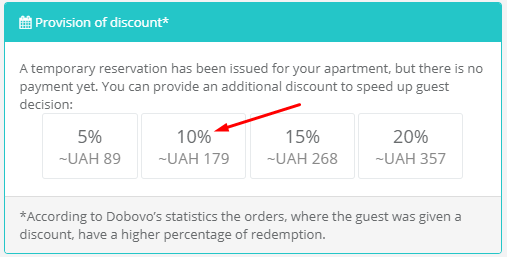
How to make a discount to the guest in the order which is not paid yet?
According to Dobovo statistics, more often guests confirm orders where they were given a discount.
Dobovo functional allows you to offer a discount to any guest who has made a temporary reservation. Such a discount can attract a guest and help to make a decision faster.
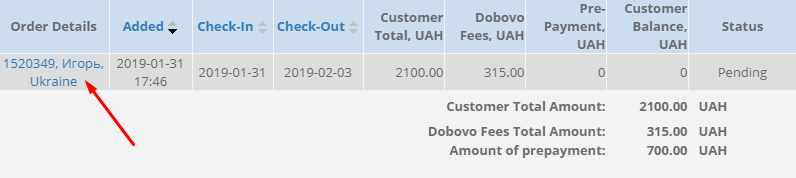
In order to give a discount to a guest who has made a temporary reservation for your apartment, you need to go to “Orders” section in the control panel and open the required reservation in “Pending” or “Apartment available. Waiting for prepayment”.
You need to set the size of the discount you want to give the guest in the order details: 5%, 10%, 15% or 20%.