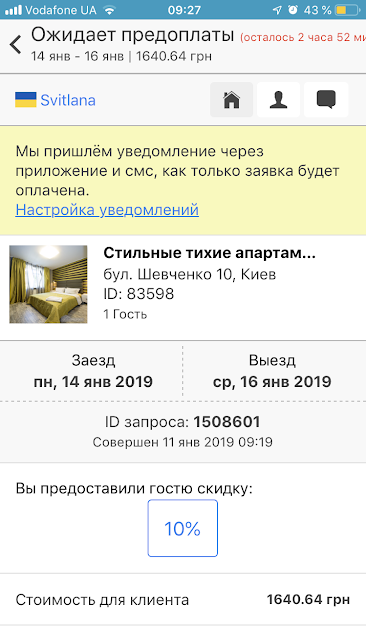
How to provide an additional discount in a mobile application?
According to Dobovo statistics, more often guests confirm orders where they were given a discount.
Dobovo functional allows you to offer a discount to any guest who has made a temporary reservation. Such a discount can attract a guest and help to make a decision faster.
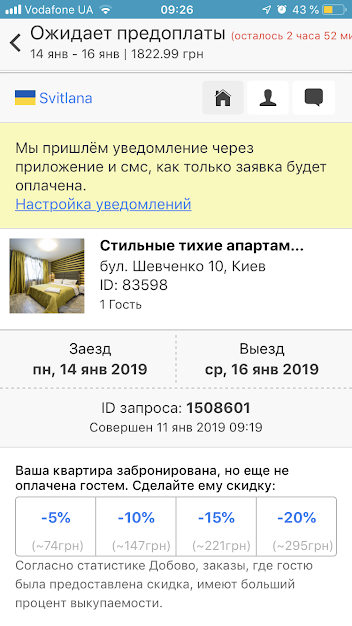
In order to provide a discount in a mobile application to a guest who has made a temporary reservation for your apartment, you must select the desired order on the home page in “Pending” section and the amount of discount you want to give to the guest: 5%, 10%, 15% or 20%.
Then confirm the discount in the selected size:
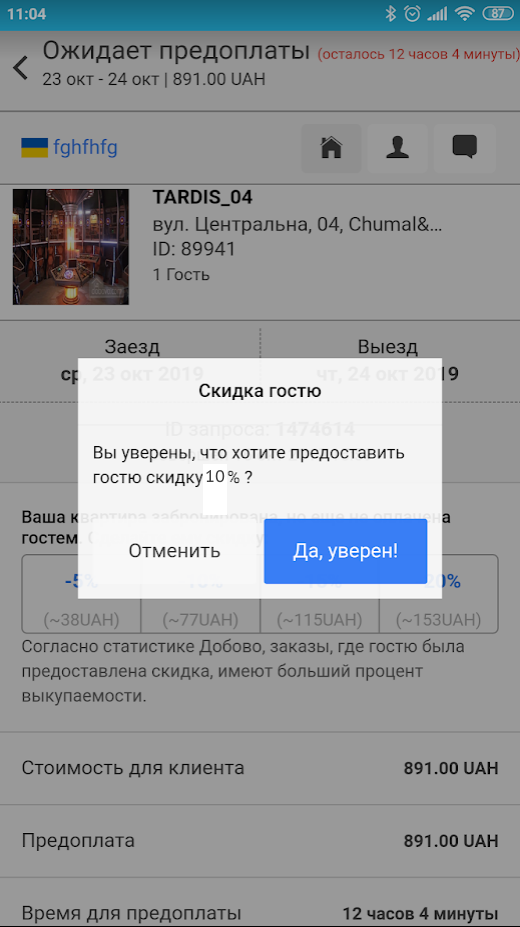
Done! The guest will receive a notification about the discount from the owner.