How to set discounts on the length of stay in the mobile application?
Log in to your personal account from your smartphone and select “More” button with the image of three points.
Select “Discounts” section on this page.

You can set the discounts for the duration of the booking in percentages both on all apartments at once and on each apartment separately on this page.
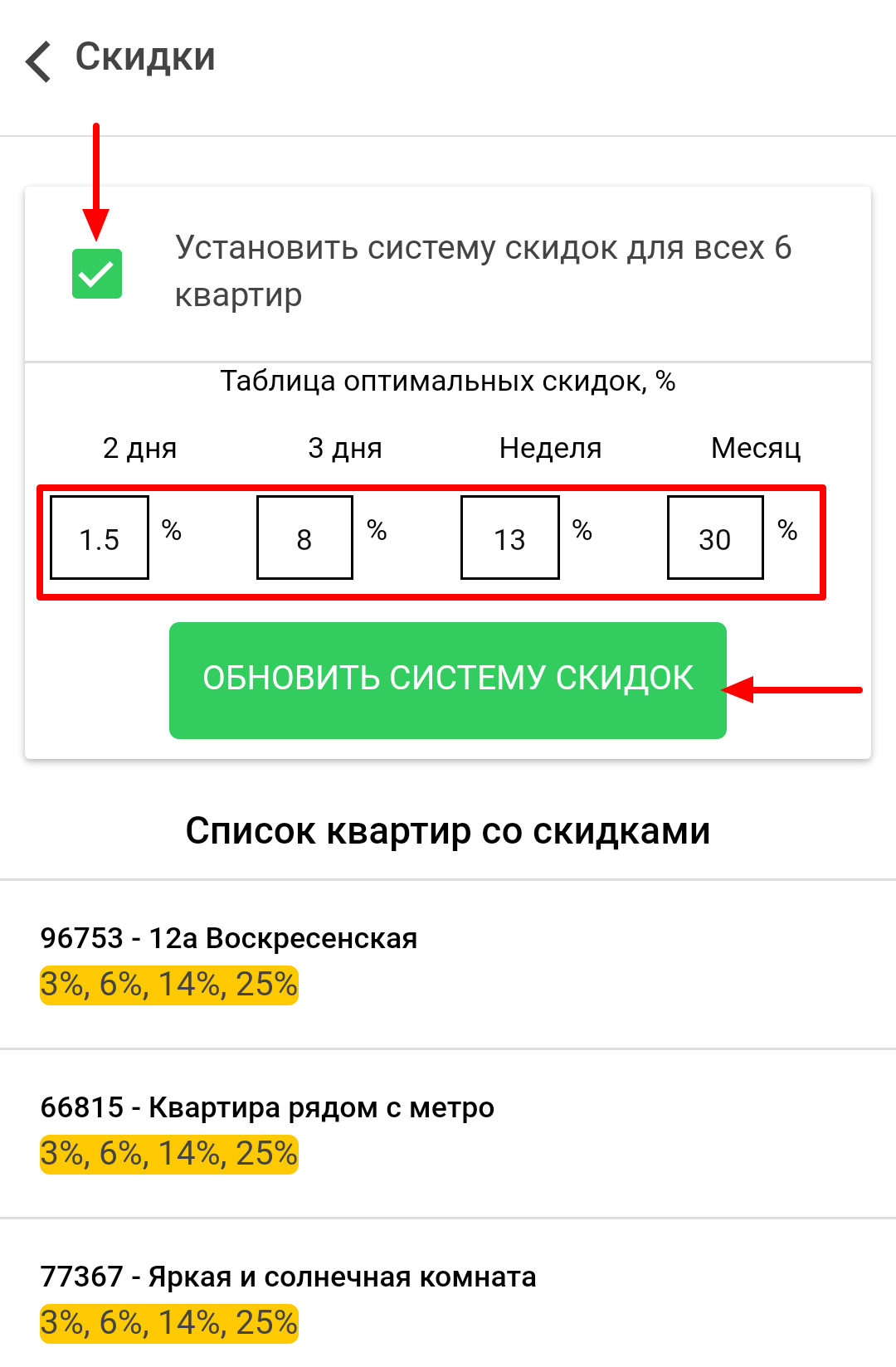
In order to set discounts on all apartments at once, check the box next to “Set discount system for all apartments” offer.
Then enter the desired values in the table of optimal discounts below (in each cell) and click “Update discount system” button.
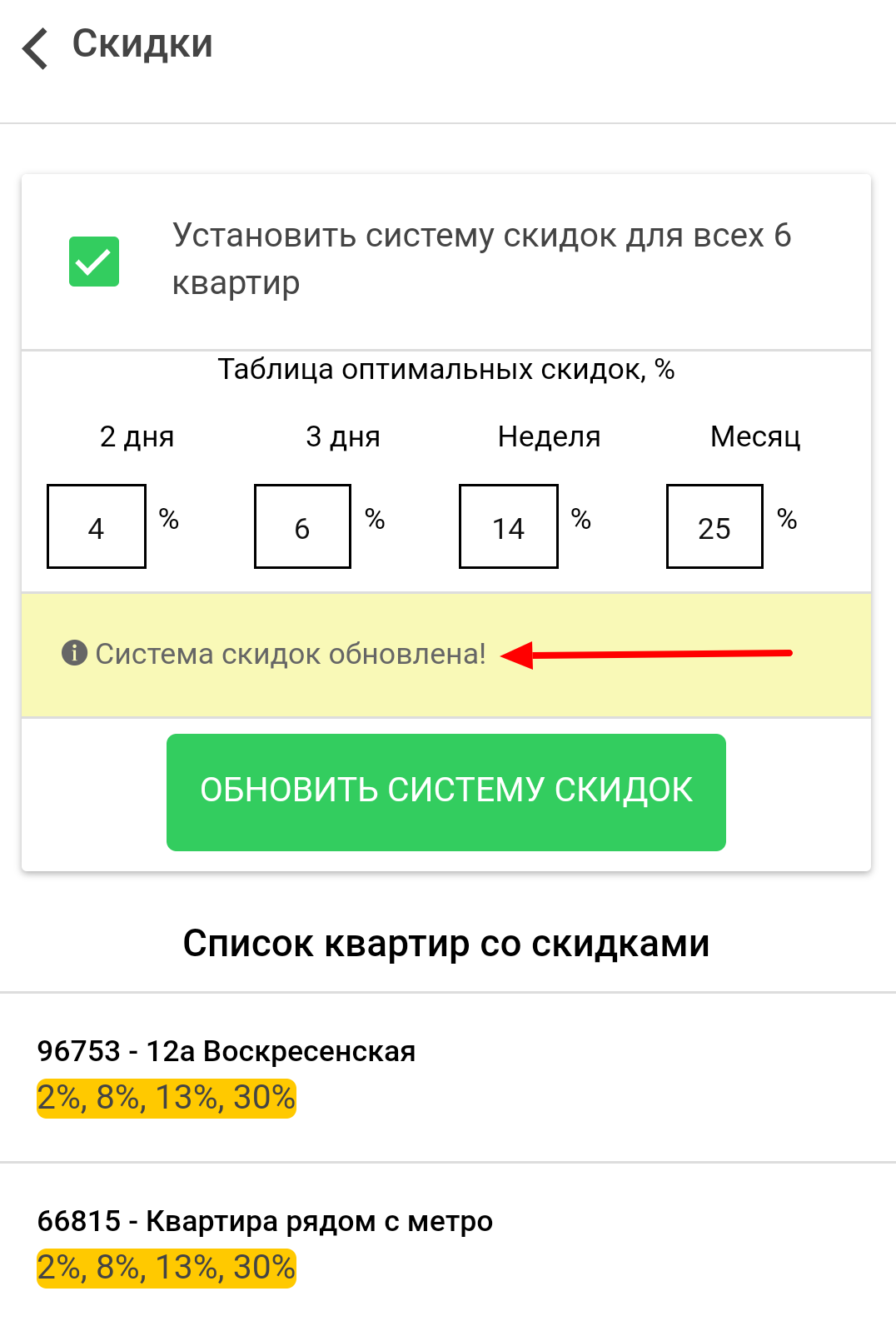
After that, you will see “Discount system is updated” notice on the screen.
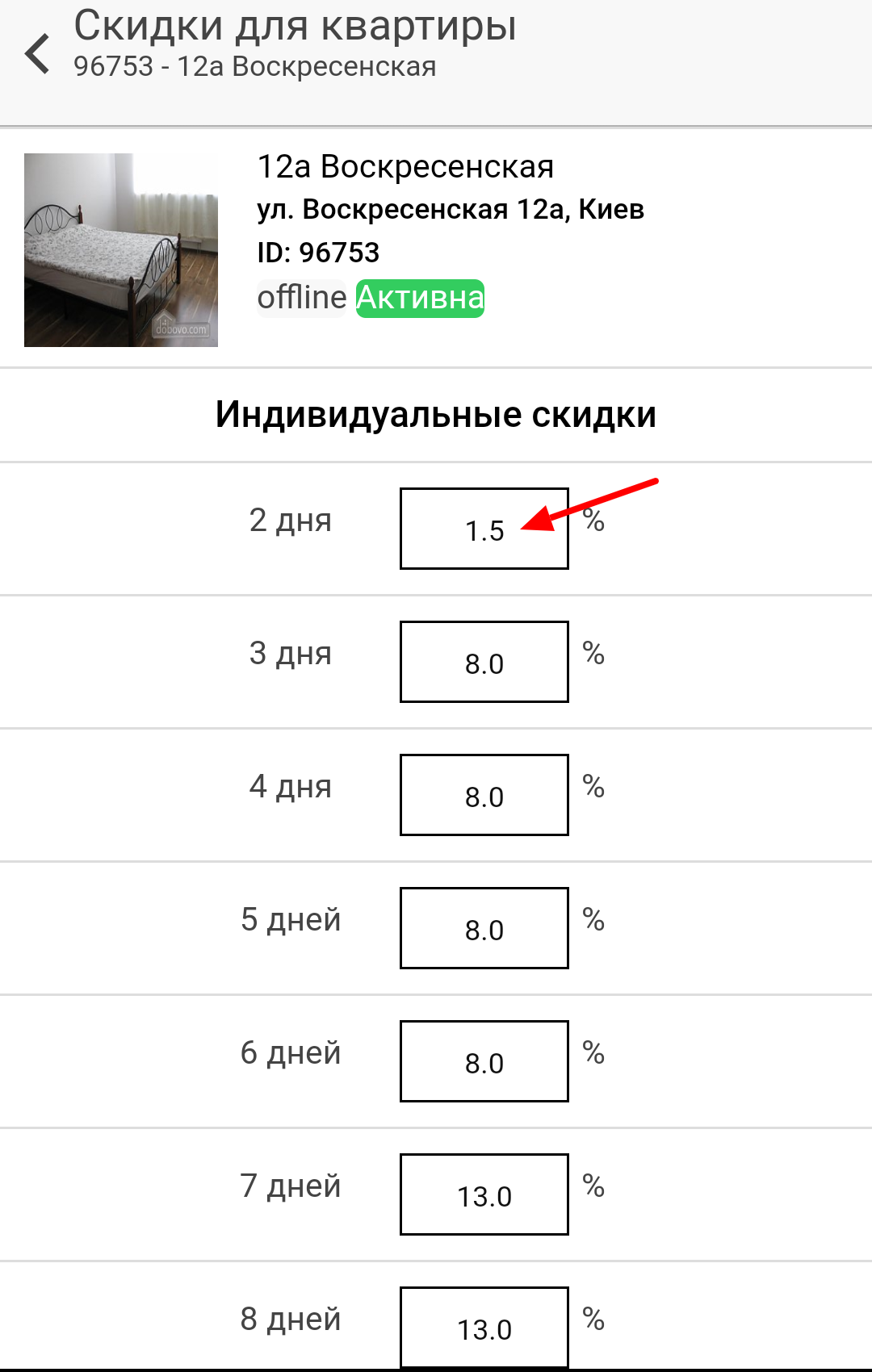
In order to set/change discounts for a specific apartment – select it from the list.
You can see a more detailed system of discounts by days on the new page.
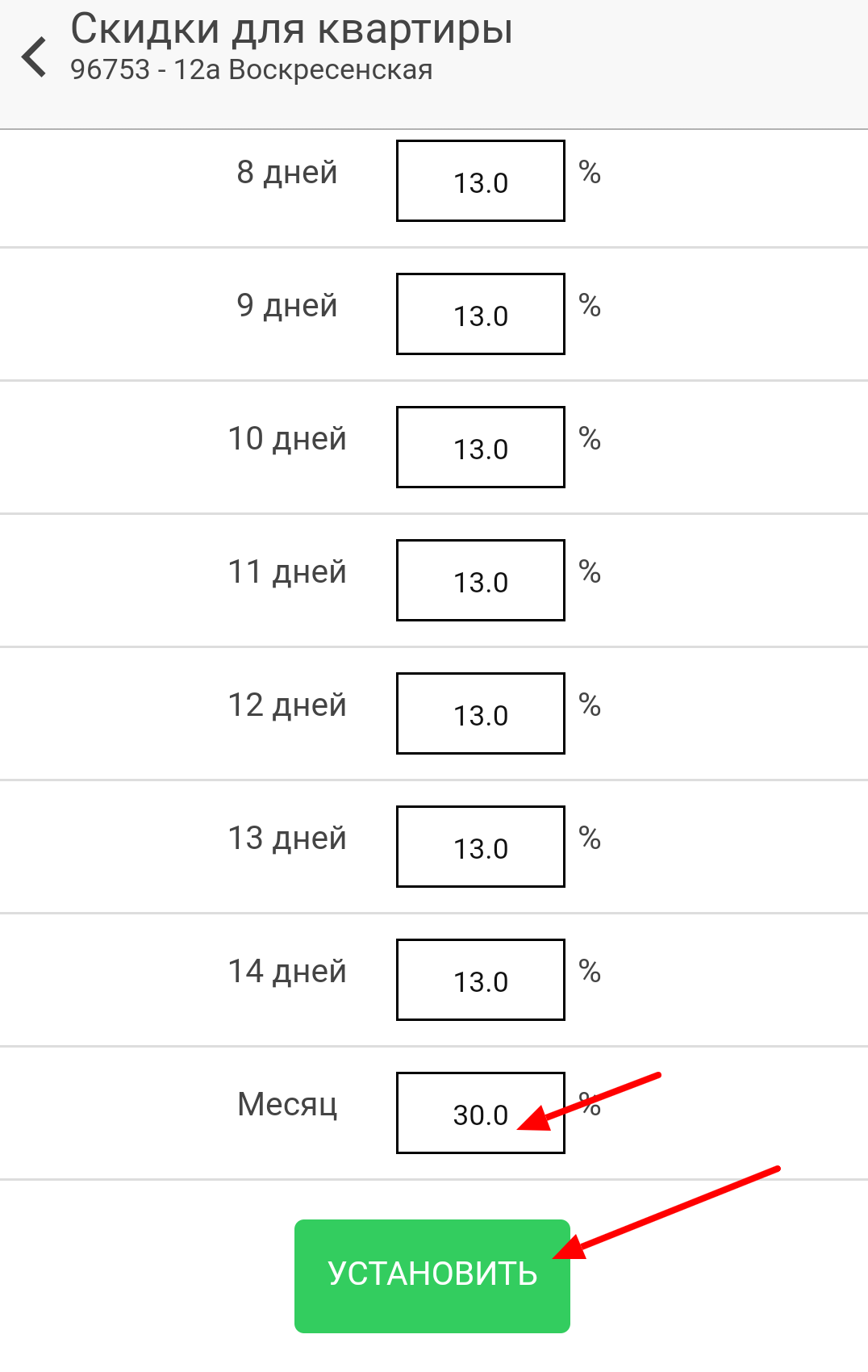
Make the necessary changes in the cells and click “Install” button at the bottom of the page.