How to activate “booking without prepayment” for my apartments?
It is possible to activate the Booking without prepayment function for apartments in any mode of booking – both in the Instant and On request.
There are several options for connecting the Booking without prepayment function:
OPTION 1
Booking without prepayment for any dates
Booking without prepayment mode for future dates allows the guest to make an order without prepayment with check-in at any day in the future. It means that a guest can make an order with check-in in a month and pay you directly at the time of check-in without making an advance payment on the website. This option is activated for all your apartments, for all dates and is valid for 12 months (extended every day by 1 day).
You can enable it in the Prices & Availability section by clicking on the turquoise color field:
And then switch the tumbler from gray to green: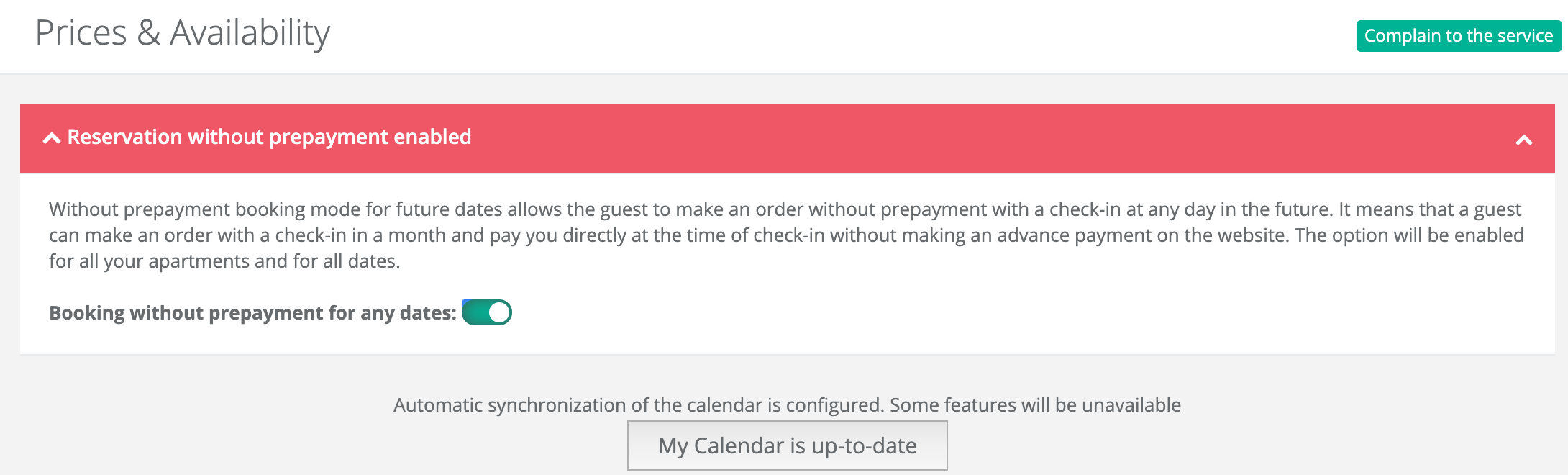
OPTION 2
Booking without prepayment with arrival today
The reservation mode without prepayment with check-in today allows the guest to make an order from today to today, without making an advance payment on the website. This option is activated for all your apartments before the first closed date in the calendar or for a period of 30 days (becomes inactive after the expiration date).
You can enable it on the main page in the owner’s control panel:
OPTION 3
Booking without prepayment with arrival today – on a permanent basis
The reservation mode without prepayment with check-in today allows the guest to make an order from today to today, without making an advance payment on the website. This option is activated for each apartment separately and is valid for 12 months (extended for each day by 1 day).
To enable it, you need to open the apartment for editing and tick the item Check-in without prepayment from today to today in the first step:


