How to set up hot offers?
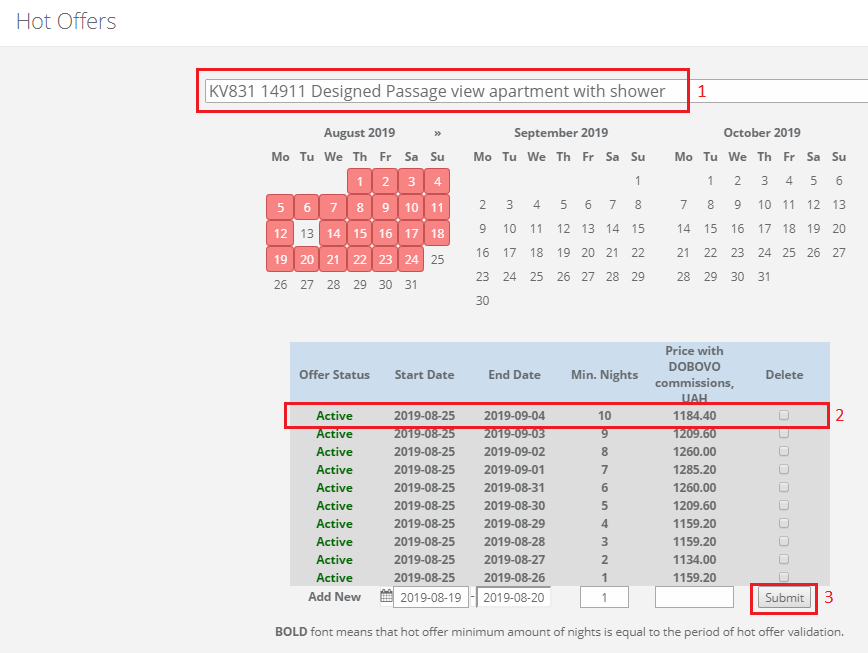
Hot offers is a service that DOBOVO offers to its partners to raise sales. For example, there are dates where a booking is always low (Monday, workdays), to effectively load these days with orders we recommend setting Hot Offers. To do it enter “Hot offers” section on your owners Control Panel, choose one of the apartments – choose dates on which you’re ready to provide DOBOVO bookings on a lower price, set the minimum stay period and state the discount price.
If the period of the set promotion coincides with the minimum period of stay indicated as a basic period in the apartment – your apartment will be displayed more often on the first pages of the site, compared to the apartments of those owners whose parameters do not match.